
Your AI subscription
is the brain.
Your assistant turns your prompts into an app and helps you change it. The AI does the building and editing.
Describe what you need. Your AI assistant builds it. Your phone runs it. Your Google Drive gives it a home.
Use your available Drive space. Your AI plan and external services are separate.
Coming soon to iPhone
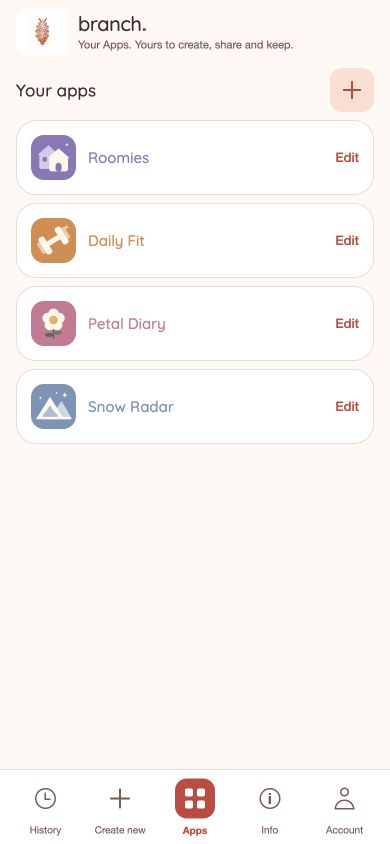
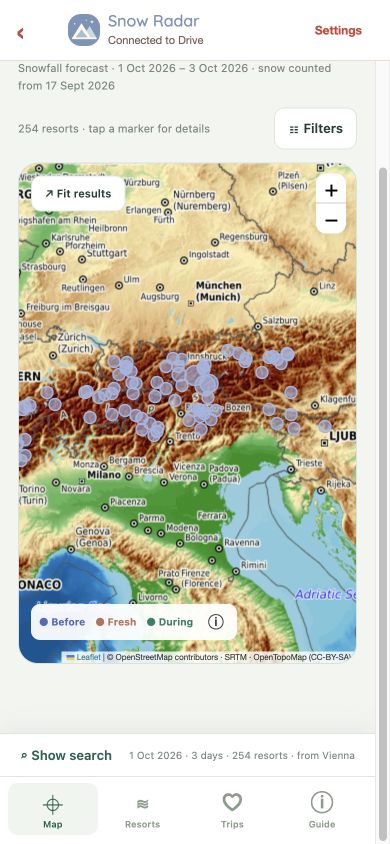
Snow Radar showcase · Branch web preview
Showcase app · web preview
Snow Radar started as a personal idea. An hour later, it was an app. What will you create?
Ferdinand Wittmann, creator of Branch
This is a showcase of what you can build for yourself: resort maps, snowfall forecasts, past weather and saved trip plans. Inspired by Snowmaxxing, made for my own needs.
You can start with a simple app of your own in a couple of minutes once you’re set up, then refine it as you go. More involved apps, like this showcase, take longer.
Start with your own need ↗Preview from the Branch web interface. Weather: Open-Meteo (CC BY 4.0). Map: © OpenStreetMap contributors, SRTM and OpenTopoMap (CC BY-SA). Resort sources: Snowmaxxing and Bryan Parthum (CC BY 4.0; selected and adapted). Weather values show modeled snowfall, not measured snow depth.
Build, run and maintain your own app with tools that belong to you.
Your assistant turns your prompts into an app and helps you change it. The AI does the building and editing.
Branch runs the finished app on your iPhone. Your phone also executes its scheduled functions.
Your code, releases and shared data live in your own Google Drive folder. You keep the files and control access.
Finish the one-time setup, then start with something you actually need. A simple first version can take a couple of minutes; you can keep improving it afterwards.
In Branch, open Create new, describe your idea and tap Open to continue in your chosen assistant. Tell it what the app should do, who it’s for and what it needs to remember.
Ask it to use the Branch skill and publish to a Google Drive folder you own. It returns the folder link when your app is ready.
Build a shared weekend planner for Branch. Let us add places, vote on plans and keep a packing list. Use the Branch skill, publish to a Google Drive folder I own, and give me the folder link.
Return to Apps, tap + (Open folder) and choose the published folder. Or paste its link and tap Open app. Your app now lives alongside your other apps in Branch.
To change it, tap Edit, tell your assistant what you want, and publish an update to the same folder.
Your app’s source, published versions and shared records stay in a folder you own. Use the Drive space you already have, including your account’s available free allowance.
Drive storage follows your Google account’s storage allowance and service limits. It isn’t unlimited; extra storage and paid external services are separate.
Use Settings → Manage access or Google Drive sharing to invite people to the app folder and its shared files. Send them the folder link so they can open it in Branch.
They can work with the shared data you give them access to. You stay the folder owner, and only you can publish app code.
Ask your assistant for a scheduled function, such as “recalculate our shared totals every hour.” Enable Automatic functions in the app’s Settings and see activity in History.
Functions run on a signed-in phone when Branch opens and while it stays in the foreground, even if that individual app is closed. They pause when Branch is closed or in the background; due work is checked when you return.
Need a hand? Get help with Branch.